Review
This is official description
Secure your data and ensure absolute privacy with Cypherix™'s powerful encryption software, Cryptainer PE. It's powerful 448-bit encryption, creates multiple 25000 MB (25 GB) encrypted containers (drives) on your hard disk. Each encrypted drive can be loaded and unloaded when needed. You can view, modify and hide all types of files with a single password.
Phenomenally easy to use, Cryptainer PE's encryption works on all 32-bit as well as 64-bit versions of Microsoft Windows (95/98/ME/2000/2003 Server/XP/Vista/Windows 7) and works with all known file types. Cryptainer allows you to password protect and secure any file or folder on any media, including removable drives (USB Drives, Flash Drives, CD ROM's, DVD's etc.)
Cryptainer can be installed directly on a USB / removable drive as a "stand alone" install. One can carry this installation of Cryptainer ('Cryptainer Mobile') to different machines without having to install Cryptainer on the host machine.
You can protect your files and folders and ensure total privacy with Cryptainer PE. Simply drag and drop the files and folders you want to hide and voilà! your files are hidden. With Cryptainer PE you can hide the very existence of your confidential files and folders.
The following review written by one of the Software Informer contributors applies to version 7.2
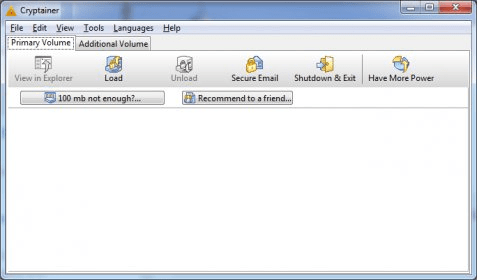
Cryptainer PE is a program that creates virtual encrypted vaults in your drives. Using this program you will be able to create several virtual units, protected by Blowfish448 or AES256 algorithms. The program will assign a drive letter for each of the vaults, which size will be up to 25 Gb. Then, every file or folder that you copy or drop into that unit will become encrypted, they will only be accessed by people knowing the right password. Besides, Cryptainer PE will allow you to encrypt files in order to send them by email. It's capable of compressing and creating self-executable files, that you can send as attachments through your regular email client. If the recipient knows the password to open them, he or she will be able to do that. When you run the program, it will ask you for some specifications about the vault you will like to create, such as the physical destination, size, encryption algorithm, password and label. Right-clicking on any file will allow you to encrypt that file in order to send it by email. You can even set a password reminder, if you want to do so. |